

You're an Admin
You’re an Admin of every project you create, as its owner. You can also be an Admin on a project someone else owns. Either way, nothing in the project is closed to you.
What you can do
Section titled “What you can do”Everything a Manager can, and also:
- Set people’s access levels to Manager, Crew or Viewer, including for someone whose invite is still pending. See Change someone’s access.
- Remove anyone from the project but its owner.
- Change or delete anyone’s markups and documents, choose who can open anyone’s document, and delete anyone’s notes. See Change or delete markups.
- Delete any empty task list, not only your own.
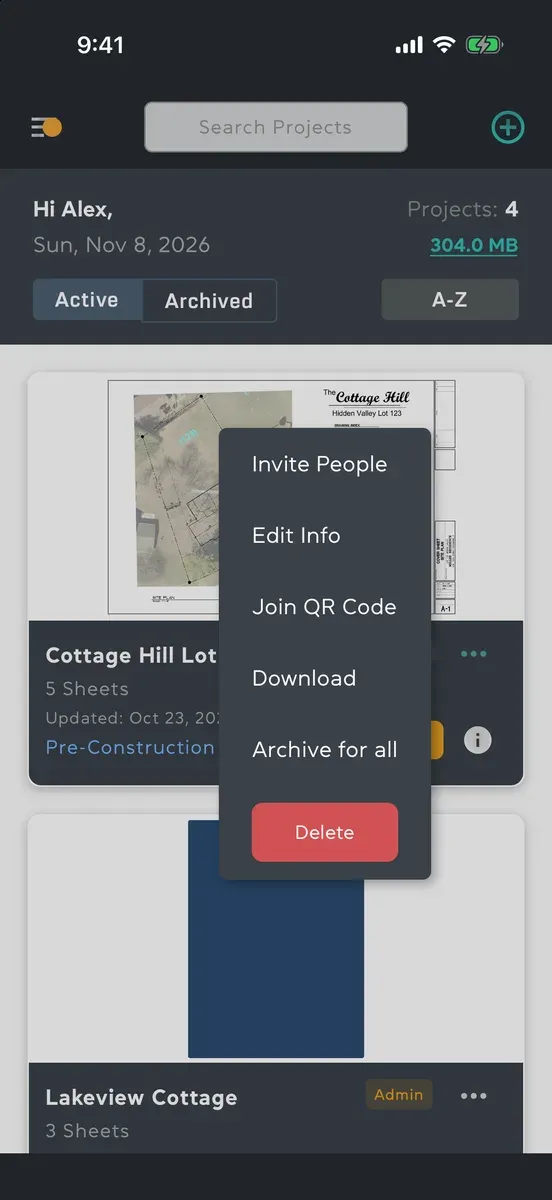
- Let people join without an invite: turn on joining by QR code or link, replace the code, or turn it off again. See Join a project.
You’re told when someone joins with the project’s code, and when a Viewer asks for Crew access.
If you’re the owner
Section titled “If you’re the owner”Only the project’s owner can:
- edit its information: name, address, owner, description and dates (Edit a project);
- archive it for everyone, and restore it (Archive, leave or delete);
- delete it, and bring it back within 60 days from Recently deleted projects on the Storage screen (Storage).
Files that anyone uploads to your project count towards your storage. As the owner you can’t leave your own project, and nobody can change your access level.
What you can’t do
Section titled “What you can’t do”- Make someone else an Admin. The levels you can give are Manager, Crew and Viewer.
- Change your own access level.
- Edit someone else’s note. You can delete it.
- Approve work on a task that’s assigned to you. Another Admin or a Manager approves it.
Where to start
Section titled “Where to start”- Set up your first project
- Invite people
- Upload plans
- Create and assign tasks
- Roles and access levels, with the full table